
What are Smart Annotations?
Smart Annotations is a new feature powered by our LiveScore technology that automatically highlights specific musical elements directly on your score, no manual markup required. Instead of drawing circles around every accidental or pulling out a coloured pencil to flag every dynamic, you simply tell Newzik what to highlight, and the app does the rest across the whole part.
What can be highlighted?
You can choose to automatically highlight:
- dynamics: p, f, mf, crescendo and decrescendo, ...
- articulations: staccato, accent, tenuto, fermata, ...
- accidentals: sharps, flats, naturals, double sharps and double flats
Each category is independent: you can enable just one of them, two of them, or all three, and choose a different colour for each.
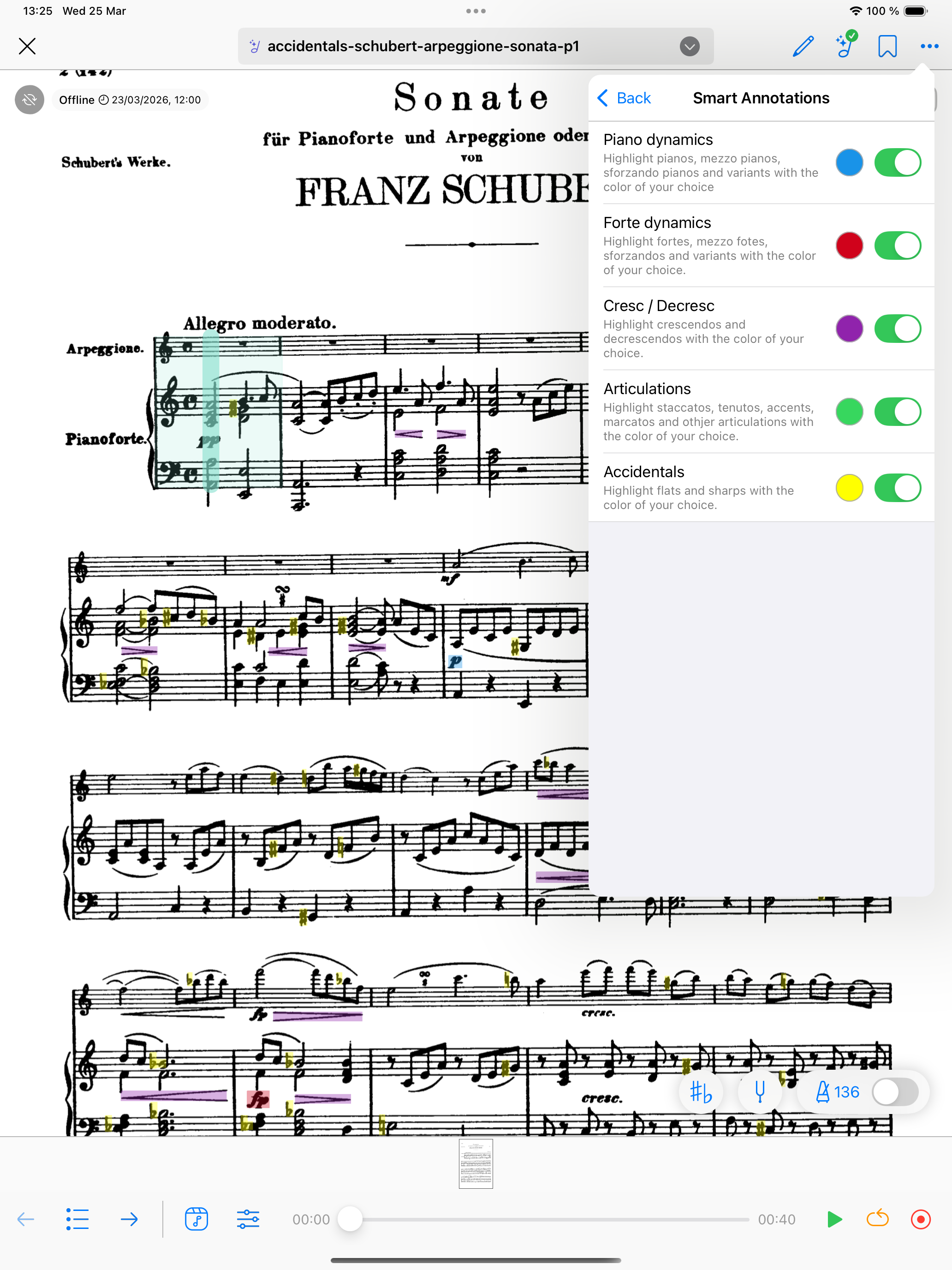
How to enable Smart Annotations
1. Open the score you would like to annotate
2. Make sure your part has been converted to a Livescore (look for the greeen LiveScore badge in the top bar)
3. Go to the Smart Annotations settings sub-menu from the score-view settings in the top-right corner (see image above)
4. Toggle on the symbols you want to highlight
5. Pick a colour for each category
6. Close the menu. The highlights are applied instantly across all pages of the part.
Important: LiveScore conversion is required
Smart Annotations rely on Newzik recognising the musical content of your score, which means the part must first be converted to a LiveScore.
Note: If your score was converted to a LiveScore before the 7.12 release, you will see a Retry button in the LiveScore controller. Tap it to update the conversion and unlock Smart Annotations.
If you've never converted a score to a LiveScore before, please refer to our articles: