
Newzik can count you in before the music starts. You get a click and a countdown on the score, so you have time to grab your instrument before playback begins.
How it works
Count in is off until you turn it on. Open the Metronome from the Home screen (Metronome shortcut), or from a score: show the tools and tap the tempo.
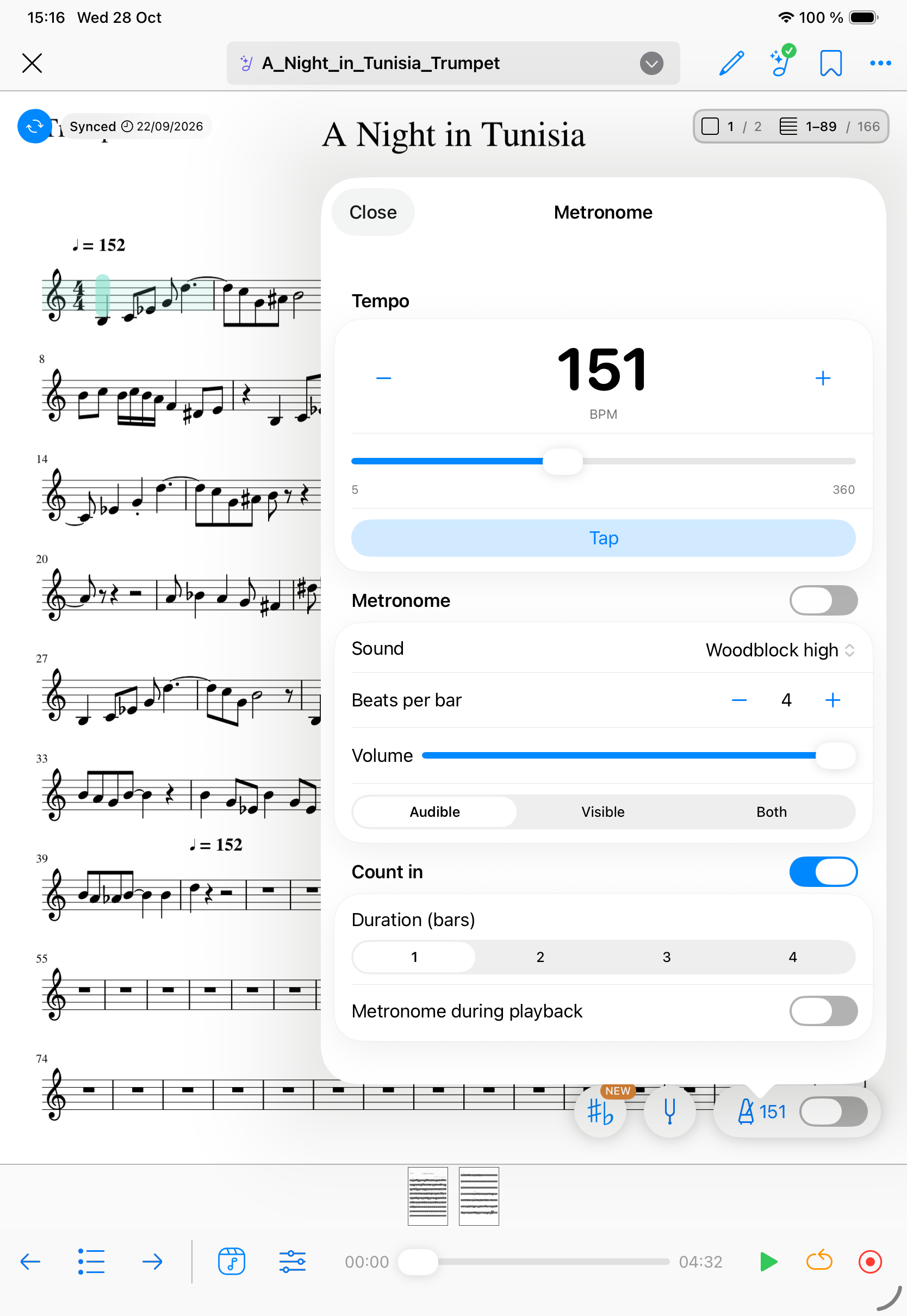
- Turn Count in on: in the Count in section, switch Count in on.
- Choose the length: under Duration (bars), pick 1, 2, 3, or 4 bars.
- Metronome during playback: turn this on to keep the click going once the music starts. While it plays, the metronome switch in the tools turns on as well. Turn it off to hear the click only during the countdown.
- Press Play: on a score with playback (a LiveScore, or an audio or video file), a panel appears over the score. Each dot is one beat, grouped by bar. The first beat of a bar is larger. Dots fill in one by one, in time with the click. The tempo and the number of bars are shown under the dots.
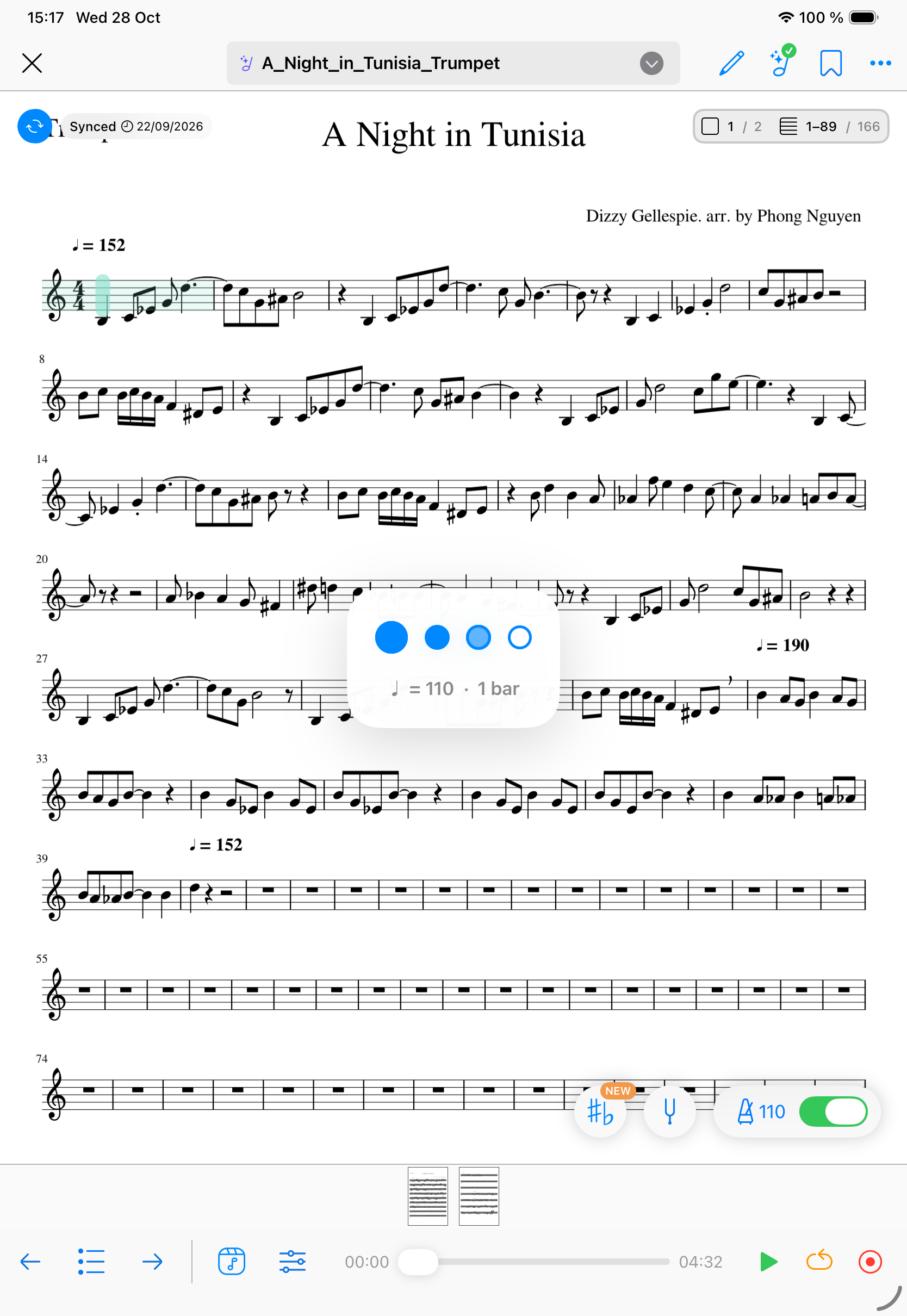
- Let it finish, or cancel: when the last counted beat has played, the music starts. Tap the countdown to cancel it. Playback does not start. Press Play again when you are ready.
Tempo and time signature
On a LiveScore, the countdown follows the score's tempo and time signature. If the piece has a pickup, or you start in the middle of a bar, the beats that are not clicked stay grey with a cross.
On an audio or video file, the countdown uses the tempo and the Beats per bar set in the Metronome.
These Count in settings are kept the next time you open the app.