
Newzik lets you search for lyrics & chord sheets directly from within the app and import them into library: no copy-pasting required.
How it works
You can access it either from the Home section (Lyrics & Chords widget) or from the Add buttons (Blue + button on the bottom right corner of the screen).
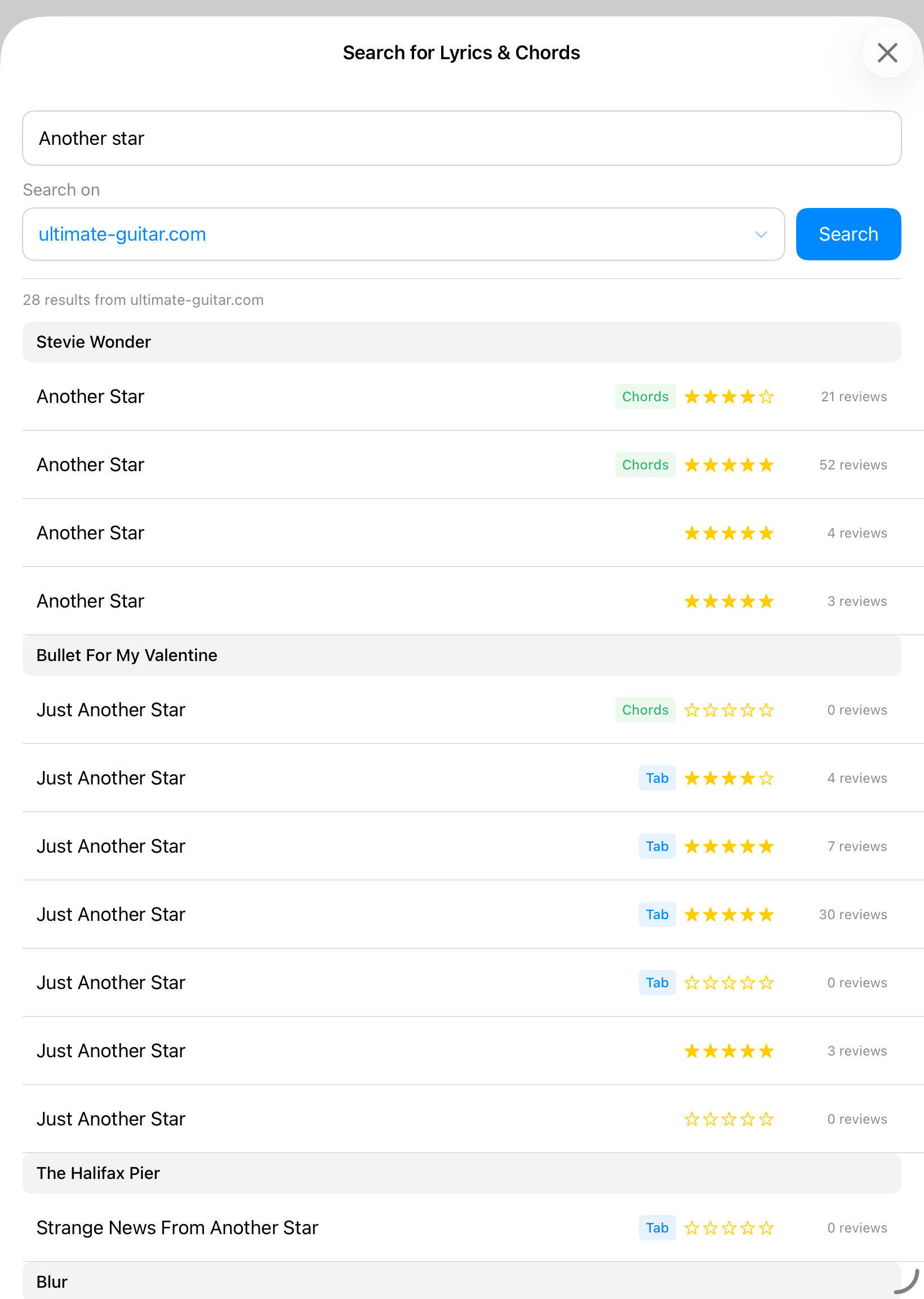
1. Enter your query: type a song title or artist name in the search bar.
2. Choose a source: select either **Ultimate Guitar** or **E-Chords** from the source selector.
3. Tap Search: results appear in a list showing the song title, artist, type (Chords, Tab, or Other), and community rating.
4. Preview: tap any result to see a full preview of the lyrics and chords before importing.
5. Import: tap the Import button in the preview to bring the content into Newzik.
Terms of use
This feature is equivalent to opening the source website in a browser and copying a song into the app.
Please read and accept the terms of use of the given source before any content can be fetched.