
Whenever a change is made to a Project, email notifications can be sent to its members.
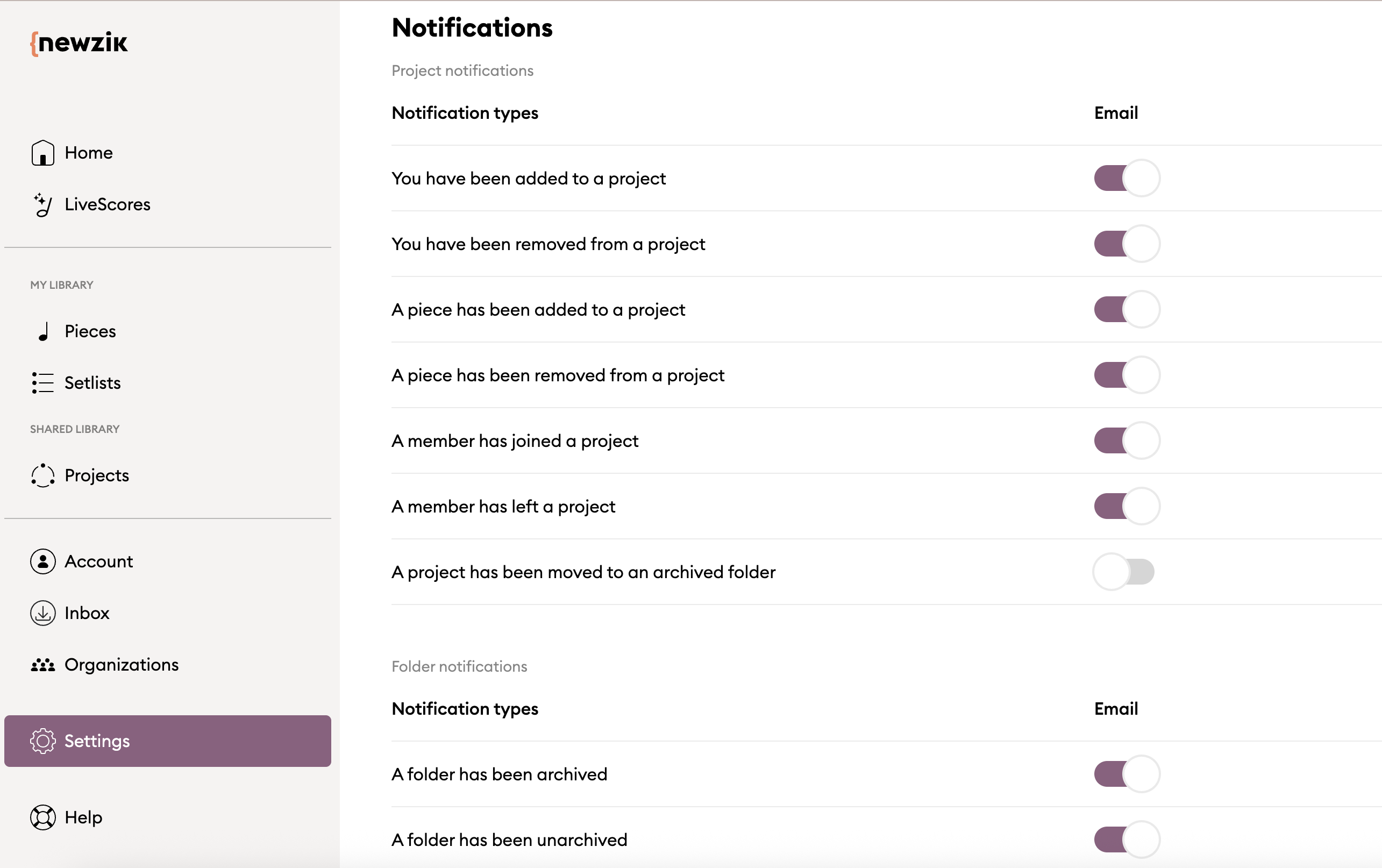
A user can choose the type of event for which they wish to be notified in the Newzik Web's Settings panel, as shown below:
He can also choose to enable/disable notifications for a specific project, from the Project's "Information" panel (on the right side of the screen when opening a project):
Here are the changes that can be notified:
Project notifications
- You have been added to a project
- You have been removed from a project
- A piece has been added to a project
- A piece has been removed from a project
- A member has joined a project
- A member has left a project
- A project has been moved to an archived folder
Folder notifications
- A folder has been archived
- A folder has been unarchived
Note: These settings are not yet available in the iOS app. However, notifications will be sent even if changes are made to the project from the iOS app.