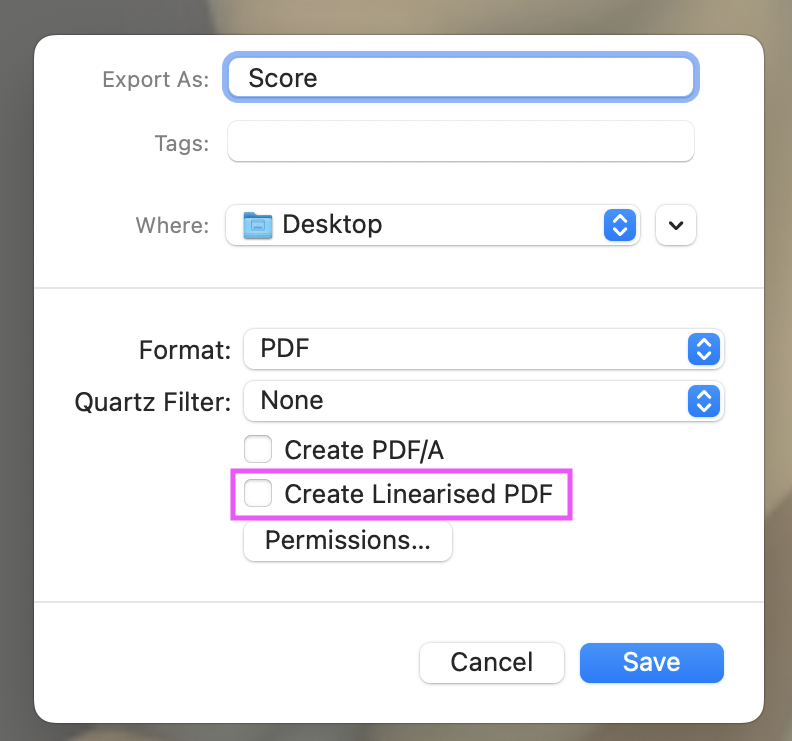
“Linearized” PDFs, also known as “Fast Web View” or “optimized” PDFs, are not supported by Newzik.
This can cause incorrect pages to be displayed at certain page indexes.
You must therefore ensure that your PDF is not “linearized” before importing it into Newzik.
To do this, you can use Adobe Acrobat Reader and check in the PDF file properties that it is not linearized (Fast “Fast Web View” = NO).
You can also use this online tool to inspect the PDF metadata and check for the linearized property (which should be No).
If your PDF is linearized, you can convert it to a non-linearized PDF (using the Preview application on Mac, for example) by re-exporting it (“Create linearized PDF” must be unchecked).